GPS Tracker: Family Locator
- 4.5
- Rating
- 50.00K
- Installs
- Free
- Price

 Analysis by App-foxy
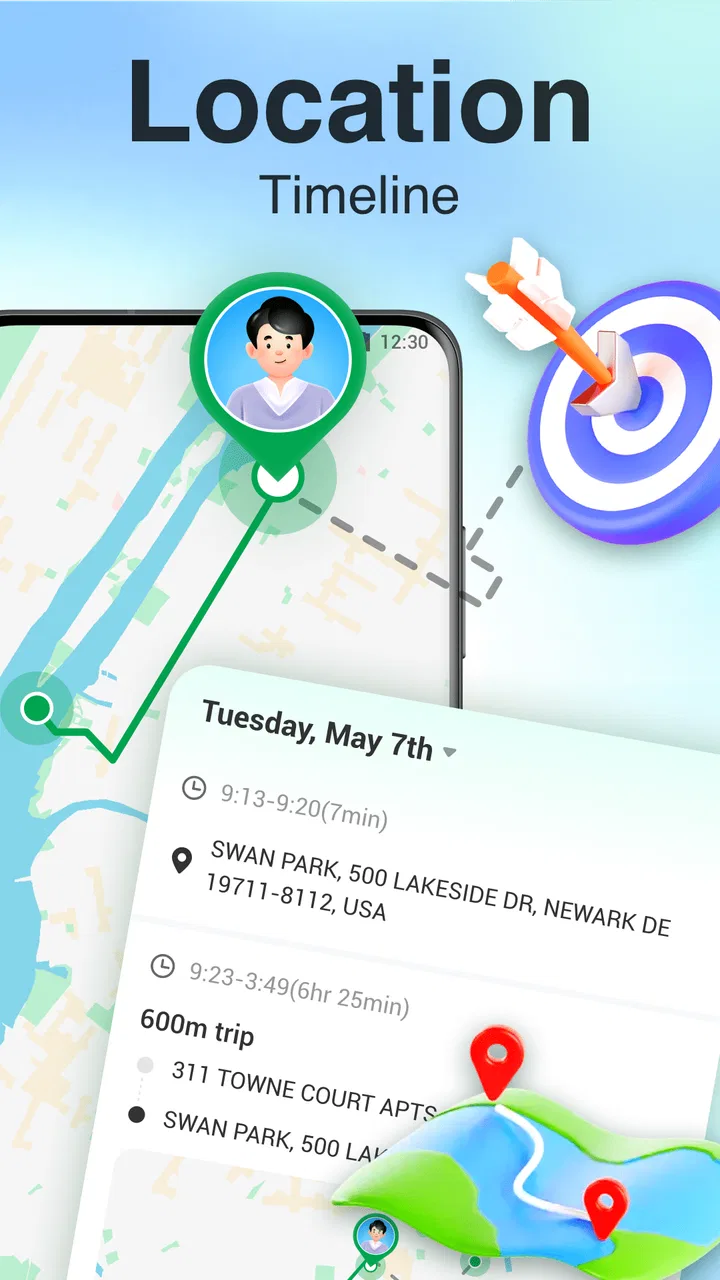
I came away from GPS Tracker: Family Locator with a fairly clear impression: it is a focused location tool for people who want a simple way to keep track of a defined safety area, rather than a full replacement for every navigation or family-management service. Its appeal comes from the combination of live GPS locating and custom boundary alerts. That pairing gives the app a practical purpose in everyday routines, especially when I want to know that someone has remained within an expected area without repeatedly calling or checking in.
The app sits in the Maps & Navigation category and is made by Delta Tools Dev. It is free to download, with optional purchases ranging from $2.99 to $12.99 per item. I would describe it as approachable for general users, but its value depends heavily on how well the boundary-alert idea matches your routine. If you only need directions, a conventional map app is still the better choice. If you want a lightweight way to watch a location and react when it crosses a chosen limit, this app has a more specific job.
What makes the locator useful in real life
The strongest part of the experience is the safety-boundary concept. Instead of treating location as something you inspect only after opening a map, the app is built around a rule: define an area, then pay attention when the tracked position leaves it. That changes the way I think about a locator. The useful question is not simply “Where is the person right now?” but “Are they still where they are expected to be?”
You May Also Like

 Pandora - Music & Podcasts
Pandora’s Music Is Easy to Start, but Harder to Recover
Pandora’s strength is its low-effort path from a seed to a station. Its weak spot is how much confidence it asks you to place in connection, setup, and quiet recovery.

 8 Ball Pool
 Is Built on Rivalries, Rematches, and Routine
A close look at the rivalries, rematches, shared routines, and unanswered safety questions that turn a quick pool match into a persistent mobile community.

 Samsung Music
’s Quiet Strength Is Playing What You Already Own
Its reach comes less from spectacle than from dependable access to a personal library. That simplicity is both the app’s strongest retention engine and its ceiling.

 AccuWeather: Weather Radar
AccuWeather Review: A Quick, Clear Forecast for Everyday Decisions
For everyday plans, the best forecast is the one you can understand quickly. AccuWeather makes rain timing, radar, and local conditions easy to act on, with a few trade-offs.

 Hill Climb Racing
Why Hill Climb Racing Still Turns Crashes Into One More Run
A tiny car, a bumpy hill and one more upgrade: Hill Climb Racing keeps resurfacing because its simple chaos makes every near-miss feel personal.

 AliExpress - Shopping App
AliExpress Makes Global Shopping Feel Personal, but Shoppers Bear the Risk
AliExpress turns a global marketplace into a pocket-sized discovery engine. Its reach is useful, its shopping loop compelling, and its trade-offs easy to miss.
More From Our News Desk
View All News


That distinction matters during ordinary situations. Imagine a family member heading to an appointment, a child arriving at an after-school activity, or someone travelling through an unfamiliar part of town. A live map can answer a momentary question, while a boundary alert can reduce the need for constant checking. I would set the boundary around the relevant destination or route area, then use the alert as a prompt to follow up only when something changes.
This is also where the app feels more purposeful than a standard map. Navigation apps are excellent at showing roads, calculating routes and finding places, but they are not always designed around a custom “stay within this area” workflow. GPS Tracker: Family Locator puts that safety-oriented use case closer to the front. For a person who wants a dedicated locator rather than another general-purpose map, that focus is a genuine strength.
The live GPS element is useful when a current position matters more than a saved address. A fixed location can tell me where someone is supposed to be, but live positioning gives me a better view of movement and changing circumstances. I would still treat any location display as a practical aid rather than an unquestionable source of truth. A phone’s position can change slowly, appear imprecise or update later than expected, so I would never use an alert as the sole basis for an emergency decision.
One of the app’s less obvious strengths is that it encourages a calmer checking routine. Without a boundary, people often open a locator repeatedly, refresh the map and try to interpret every small movement. A custom alert can shift that habit toward exception-based monitoring. I can define what “normal” looks like and pay attention when the app indicates a departure. That is especially helpful for users who want reassurance without turning location sharing into a constant conversation.
Thinking carefully about the boundary itself
The quality of the result depends on choosing a sensible boundary, not merely drawing the smallest possible circle around a destination. GPS is not perfectly fixed to a doorstep, building entrance or classroom. If I made the area too tight, ordinary positioning variation could create an alert that does not represent a meaningful change. A slightly broader boundary is often more useful because it separates a real departure from normal movement around the expected place.
There is a practical trade-off here. A wide area reduces unnecessary alerts, but it also gives the person more room to move before the app reacts. A narrow area can feel reassuring, yet it may become noisy. I would begin with a boundary that covers the whole relevant location, including nearby access points, and adjust it after seeing how the alerts behave in daily use. That is a more reliable approach than assuming maximum precision is always better.
For a regular commute, I would also avoid treating a single boundary as a complete journey plan. A destination boundary can help confirm arrival or departure, but it does not explain why someone is delayed or whether they are following the preferred route. If route-level detail is the main requirement, a navigation or dedicated family-sharing service may provide a more complete experience. This app makes more sense when the important event is crossing a defined limit.
A realistic family scenario
Consider a parent whose teenager travels from school to a sports practice. The parent may not need a minute-by-minute conversation during the trip, but they may want to know whether the teenager has left the expected area or reached the activity location. I would use the app to create a boundary around the relevant destination and agree in advance on what an alert means. The alert should start a check-in, not automatically signal danger.
That last part is important. A boundary crossing can happen because plans changed, the person took a different entrance, the phone’s location shifted or the device temporarily reported an unexpected position. The app can make a follow-up easier, but it cannot replace clear family communication. Used with that understanding, it becomes a useful layer of awareness rather than a source of unnecessary alarm.
Where it compares well with familiar alternatives
Compared with a normal map application, this app is more specialized. A map is the obvious choice for finding a route, checking traffic or searching for a business. GPS Tracker: Family Locator is more relevant when the central task is monitoring a live position against a custom safety area. I would not install it to replace my everyday navigation app; I would consider it when location awareness is the primary need.
Compared with a broad family-safety platform, the attraction is its narrower purpose. Larger services may combine messaging, location sharing, driving information, schedules and other household tools. That can be convenient, but it can also make the experience feel heavier than necessary. Someone who only wants a locator with boundary alerts may prefer a focused app. On the other hand, a household that already depends on a larger ecosystem may find another standalone tool less convenient.
The right comparison is therefore not simply which app has more features. It is whether I want a general family dashboard or a direct location-and-boundary workflow. GPS Tracker: Family Locator has a clearer case when simplicity matters more than having every related feature in one place. Its limitation is equally clear: users looking for a complete family coordination system should examine alternatives before committing to it.
Everyday handling, limits and practical expectations
The app is rated for Everyone, which fits the straightforward nature of its purpose. It runs on Android devices using version 7.0 or later, so it can suit people who are not using a recent handset. The current version is 1.0.14. I see that compatibility as helpful for families with a mixture of newer and older phones, although an older device may still offer a different experience depending on its battery condition, GPS hardware and general performance.
One question many people will have is whether the app is genuinely free. The basic download is free, but optional in-app purchases are available. I would approach that model by first testing the everyday workflow without assuming that every useful option is included at no cost. Before paying, I would make sure the app fits the way my household actually uses boundaries and live location. A purchase makes more sense after the free experience has proved useful, not simply because the feature sounds reassuring.
Another practical question is whether it can replace a phone call in an urgent situation. I would say no. A locator can help me decide when to contact someone, but it does not establish that the person is safe, explain a delay or guarantee that an alert arrives immediately. For urgent travel, medical concerns or vulnerable users, I would combine it with agreed check-in habits and direct communication. That is not a criticism unique to this app; it is a basic limitation of relying on a phone-based location signal.
Battery and connectivity are also part of the real-world trade-off, even when the interface feels simple. Live location requires the device to determine and transmit its position, so I would not expect the same reliability from a phone with a nearly empty battery or inconsistent connectivity as from one operating normally. Before relying on the app for a long outing, I would check that the relevant phone is charged and that the person carrying it understands the purpose of the setup.
A third question is whether the app is suitable for someone who wants discreet monitoring. I would be cautious here. Location tools work best when everyone involved understands what is being shared and why. A boundary alert should support an agreed safety arrangement, not become a substitute for trust or a reason to monitor someone without their knowledge. For families, that means explaining the boundary, the expected alerts and the response plan before using it.
The app’s relatively modest public footprint is worth keeping in mind. It has more than 50K installs, an average rating of 4.5 from 86 ratings, and 3 written reviews. Those figures suggest positive early interest, but they do not provide the same depth of long-term user evidence as a heavily established service. I would treat the rating as encouraging rather than conclusive. In practical terms, I would test it with a low-stakes routine first, such as a regular trip or arrival check, before depending on it for a more sensitive situation.
That testing phase can reveal whether the app suits a particular household. I would check how easy it is to create and adjust a boundary, whether the alert timing feels understandable, and whether the person being located can follow the arrangement without confusion. I would also observe whether the alerts are meaningful or too frequent. These are the details that determine whether a locator becomes helpful background support or another source of notifications to manage.
Three habits that make the app more useful
- Use boundaries for decisions, not decoration. I would create an area only when crossing it should lead to a clear action, such as sending a message or checking a delayed arrival. If an alert would not change what I do, the boundary may not be worth maintaining.
- Build in a tolerance zone. I would include nearby entrances, pickup points and normal waiting areas rather than drawing a boundary around one exact building outline. This reduces the chance that ordinary GPS variation becomes a false alarm.
- Pair each alert with a simple response plan. Before relying on the app, I would agree on who checks in, how long to wait and when to use another form of contact. The alert is most useful when it fits into a known routine.
Those habits expose an important weakness as well as a strength. The app can make location monitoring more structured, but it cannot decide what a boundary crossing means for me. I still need to choose sensible areas, interpret the situation and communicate with the person involved. Users expecting fully automatic safety decisions may find that frustrating. Users comfortable with a little setup will get more value from the same tools.
I would skip this app if my main goal were turn-by-turn navigation, detailed trip planning or a broad collection of household services. I would also hesitate if I needed a proven, all-in-one platform with extensive history and a large community of long-term feedback. In those cases, a more established alternative may be the better fit, even if it feels less focused.
I would recommend trying it when the need is narrower: keeping an eye on whether a person or device remains within an agreed area, receiving a prompt when that changes, and avoiding constant manual map checks. It is especially suitable for people who prefer a dedicated safety workflow over a crowded feature set. The free entry point makes experimentation easier, while the optional purchases mean I would still review the available paid choices carefully before spending anything.
Who should use it and who should look elsewhere
GPS Tracker: Family Locator is a good match for a parent, caregiver or family member who wants location awareness organized around custom boundaries. It can also suit someone managing repeated arrival and departure routines, provided the people involved understand the arrangement. The app’s focus makes it easier to explain: this area matters, and leaving it should prompt attention.
It is less convincing for a user who wants a social map, a navigation replacement or a complete emergency-response service. It is also not the right tool for removing all uncertainty from travel. A live locator can support a plan, but it cannot guarantee perfect positioning, instant communication or a correct interpretation of every alert. That boundary between useful assistance and overconfidence is the most important thing to understand before installing it.
After using it as a focused Maps & Navigation app, my verdict is positive but measured. The combination of live GPS locating and custom safety boundaries gives it a clear identity, and I appreciate that the central idea can reduce repetitive checking during ordinary family routines. The best results come from thoughtful boundary design, realistic expectations and an agreed response when an alert appears.
I would recommend giving it a try if that specific workflow matches your needs, especially if you want something more targeted than a regular map but less expansive than a full family-management platform. I would not recommend treating it as a sole safety system or installing it simply because location tracking sounds reassuring. Its real strength is turning a defined location expectation into a practical alert routine. With that understanding, Delta Tools Dev’s app is a useful, focused option rather than an all-purpose answer to every location problem.
FAQs for GPS Tracker: Family Locator
01How does GPS Tracker: Family Locator ensure my privacy?
GPS Tracker: Family Locator prioritizes user privacy by employing end-to-end encryption for all location data. User information is never shared with third parties without consent. The app allows you to customize privacy settings, enabling you to decide who can see your location and when, ensuring maximum control over your personal data.
02Can I use GPS Tracker: Family Locator without an internet connection?
While GPS Tracker: Family Locator requires an internet connection for real-time updates and notifications, it caches data to provide limited functionality offline. When reconnected, the app updates with the latest location information. However, to make the most of its features, a stable internet connection is recommended.
03Is GPS Tracker: Family Locator suitable for large families?
Yes, GPS Tracker: Family Locator is designed to accommodate large families by allowing multiple users to be connected within the same account. You can easily add or remove family members, monitor their locations, and set personalized alerts for each member, making it an ideal choice for families of any size.
04What features does GPS Tracker: Family Locator offer for safety?
The app includes several safety features, such as real-time location sharing, customizable alerts for arrivals and departures, and a panic button for emergencies. Additionally, users can create geo-fences, receiving instant notifications when a family member enters or leaves a specified area, enhancing overall safety and peace of mind.
05How does the app affect battery life on my device?
GPS Tracker: Family Locator is optimized to minimize battery usage by employing efficient location tracking algorithms. However, continuous use of GPS in the background can still affect battery life. The app provides settings to adjust location update frequency, allowing you to balance accuracy with battery consumption based on your needs.
Pros
- Real-time location updates enhance safety.
- Easy to set up and user-friendly interface.
- Low battery consumption for prolonged use.
- Group chat feature for easy communication.
- Customizable alerts for specific locations.
Cons
- Requires constant internet connection.
- Some features locked behind a paywall.
- Location accuracy may vary in rural areas.
- Limited features in free version.
- Can drain battery faster on older devices.

GPS Tracker: Family Locator
Gallery